Online booking that still leaves the owner in control.
Put online requests, phone bookings, owner approval, staff availability, and client reminders on one appointment calendar.
No login and no saved data. The preview is safe to click through.
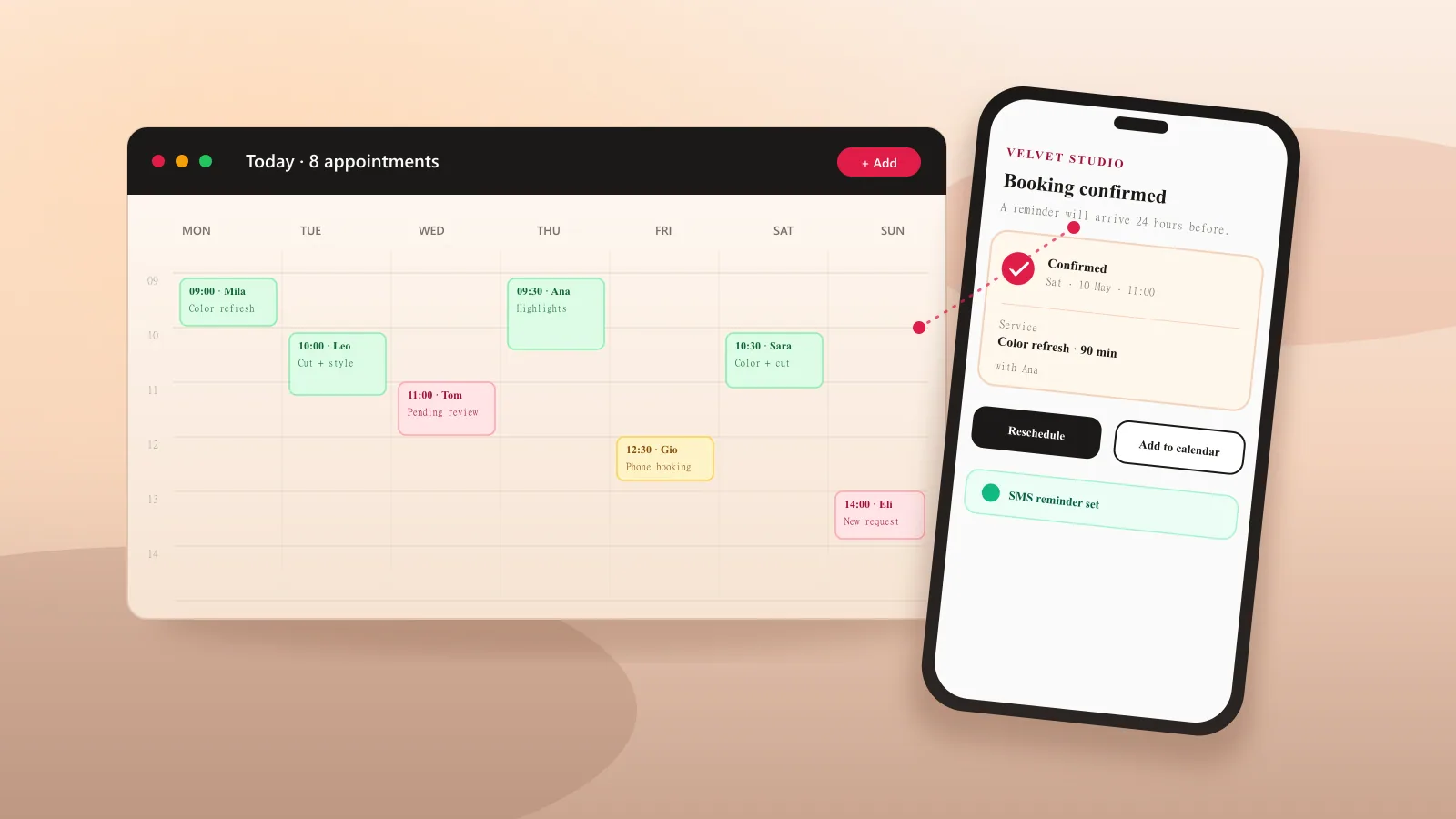
Client experience
A booking page that feels like your business.
Live calendar
Today, ticking in real time
Now line moves with your clock. Same component runs in the app.
Now
12:00 PM
Mila R.
Color refresh
9:00 AM · $120
Leo K.
Cut + style
10:30 AM · $60
Nora P.
Balayage touch-up
11:45 AM · $95
Sam T.
Beard trim
1:00 PM · $35
Iris V.
New booking
2:30 PM · $140
The client chooses a time. The owner decides when it is final.
Schedl records the request, waits for approval when required, then sends the confirmation and manage link.
Owner opens a real slot
Tap the calendar, choose the service, enter the client, and pick reminder channels.
Client requests a time
They choose service, professional, and time from a branded portal that feels like the business.
Owner approves
Pending requests stay visible until the owner confirms or declines them.
Confirmation + portal link
Client receives a friendly message with a secure manage link for rescheduling, canceling, or staying in touch.
Example owner calendar · Ana
Today's appointments
Mila
Color refresh
Leo
Cut + styling
Nora
New request
Manual bookings and approved requests share the saloncalendar. Reminder channels can be enabled separately.
The owner sees the day and can still book a caller.
When a client calls, the owner clicks a slot, enters a name, chooses phone/email reminders, and saves. New online bookings can wait for approval before the calendar is final.
See today at a glance
Confirmed appointments, pending requests, arrivals, and phone bookings share one calendar.
Approve before confirming
Keep online requests pending until the owner checks the time. Schedl sends the confirmation after approval.
Set availability by professional
Each team member can have working hours, time off, and a list of services they perform.
Clients see the service, time, status, and next action.
They can book without an account and return through a secure link to review or change the appointment.
Your business stays visible
The portal shows your services, team, business information, logo, cover image, and accent color.
A useful link in every reminder
Confirmations and reminders include a manage link for the appointment details and allowed changes.
No client account required
Clients book with their name and contact details, then use a secure link to return to the appointment.
Client message
Appointment details with a manage link.
Built for service appointments rather than meeting links.
Industry presets reduce setup decisions, subscription plans stay predictable, and Schedl does not take a marketplace commission.
Match the booking page to your business.
Add your logo, cover image, and accent color. Use the preview to see how the same booking page can look for a salon, tattoo studio, wellness practice, or auto shop.
Interactive preview · Hair salon
Luna Studio
Warm terracotta. Welcoming and editorial.
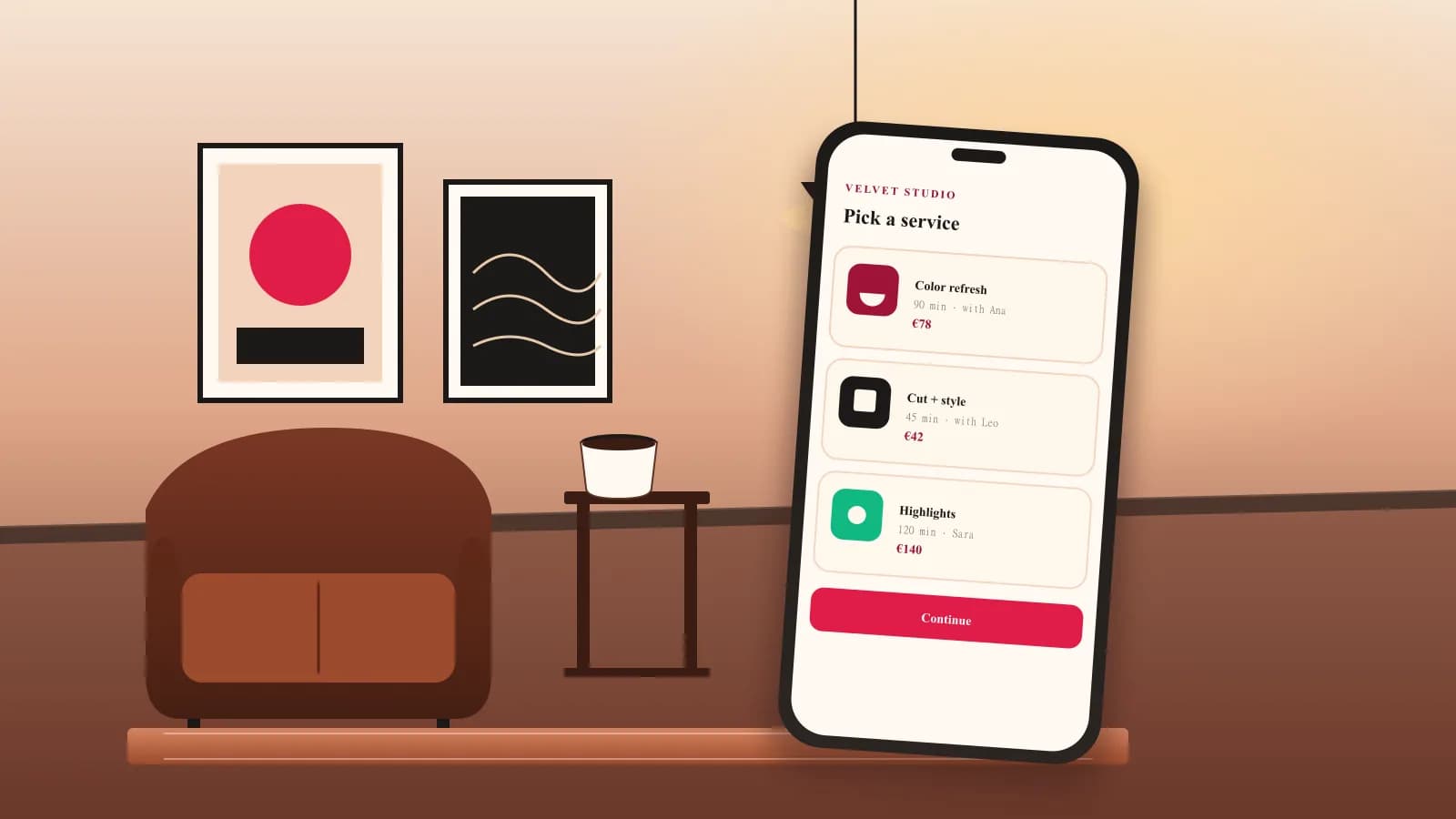
Color refresh
90 min · with Ana
Walk through it like a client would.
The interactive sample uses the same booking components as the app. No account or saved data is required.
Try a normal booking from start to finish.
- 1
Service
Grouped by category, with duration and price right there.
- 2
Professional
Filtered to the people who can perform that service.
- 3
Time
Real availability — schedule, time-off, and existing bookings respected.
- 4
Request
The request is held for owner approval. After approval, the client receives the confirmation and secure manage link.
Try it
Book an appointment
- 1Service
- 2Professional
- 3Time
- 4Done
Pricing
Start simple. Keep the plan predictable.
Flat pricing for real teams.
Keep the free plan while you learn. Upgrade when automated reminders, branding, or a larger team matter.
- 1 active bookable professional
- 50 bookings/month
- Online booking page
- Up to 5 active bookable professionals
- Unlimited bookings
- 500 SMS messages/month
- Unlimited active bookable professionals
- Unlimited bookings
- Unlimited SMS messages
Questions to check before choosing a booking tool.
Can clients book without creating an account?+
Yes. Clients book through a public portal with their name and contact details. They receive a secure manage link for changes later.
Can the owner approve bookings first?+
Yes. Schedl supports the workflow where a request is received first, then the owner approves it before sending the final confirmation.
Can I add a booking while I am on the phone?+
Yes. The owner calendar is designed for fast manual booking: choose a time slot, enter the client name, pick reminder channels, and save.
Does Schedl take a marketplace commission?+
No. Schedl is subscription software. You keep your client relationship and do not pay a marketplace percentage on new-client bookings.